Slop Lens scores the page you are reading and highlights the passages behind the score. You can also scan a selection or open a PDF, text or Markdown file. All scoring runs in your browser. No account, upload or paid service.
Chrome Web Store · Download from GitHub · Source and issues
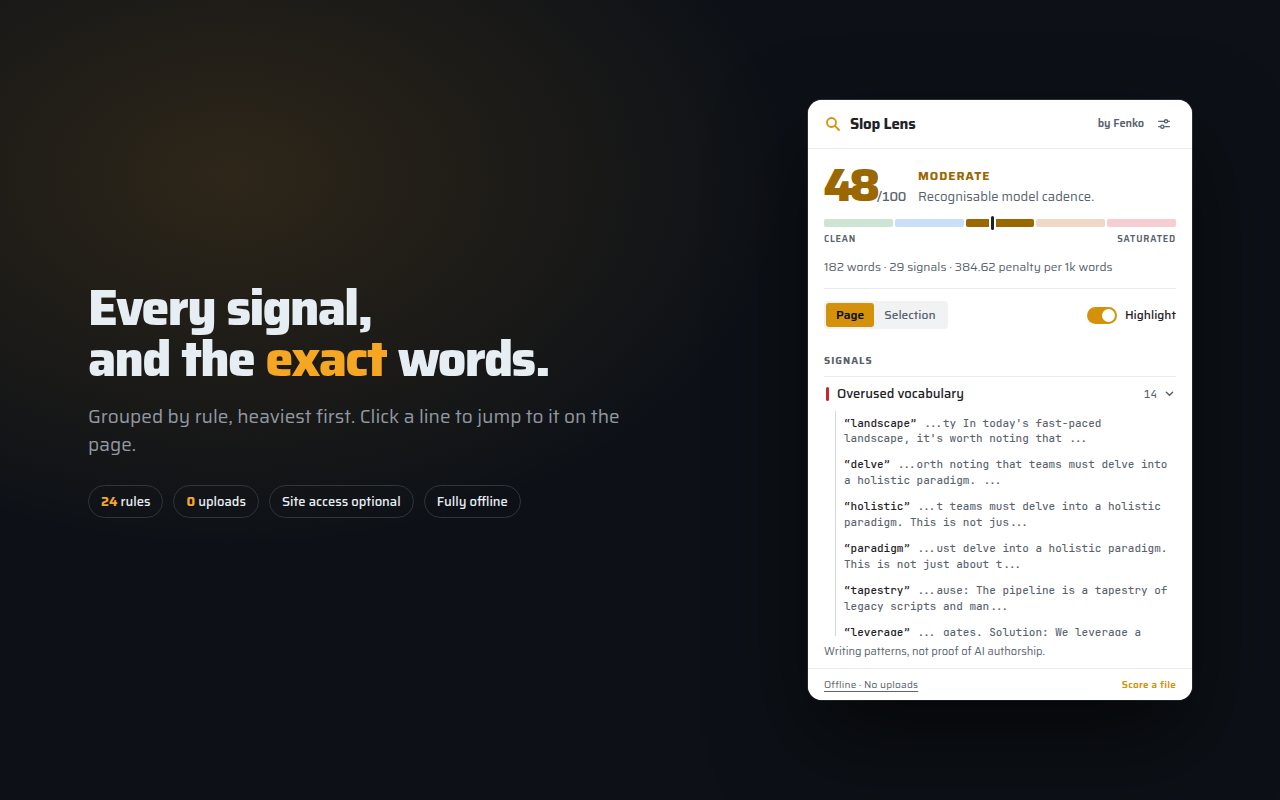
What the score means
The score runs from 0 to 100: higher means more formulaic writing patterns relative to the text’s length. Expand a signal to see the words that matched.
This is not an AI-authorship detector. Human writing can trigger these rules, and generated text can avoid them. Use the results to review a passage, not to accuse its author or establish its provenance. The rules target English prose; scanned PDFs need text recognition before they can be scored.
Install
View Slop Lens on the Chrome Web Store.
For manual installation, download the ZIP from the latest GitHub release and
unzip it. Releases include SHA256SUMS for checking the download. Manual
installations must be updated manually.
Chrome, Chromium or Edge: open chrome://extensions, enable Developer mode,
choose Load unpacked, and select the unzipped folder.
Firefox: open about:debugging#/runtime/this-firefox, choose Load Temporary
Add-on, and select manifest.json. This unsigned installation is removed
when Firefox restarts. Firefox support is experimental.
Use it
Click the toolbar icon to score the current page. Select text first to scan just that passage. Expand Signals to inspect matches, or choose Score a file to read a PDF, text or Markdown file on your device.
Settings control the toolbar badge, icon tint and optional auto-scan. Automatic scanning asks for permission to read pages as they load. It is off by default.
Privacy
The extension does not upload page text, files, URLs or results. It has no analytics or telemetry. Rules, fonts and the PDF parser are bundled locally.
Preferences stay in device-local storage. Per-tab scores stay in browser session storage and are cleared when the session ends. Auto-scan requires optional site access; ordinary click-to-scan uses temporary tab access.
Links to Fenko and GitHub open those websites when clicked. Their privacy policies apply to those visits.
Read the extension privacy policy.
Source and rules
MIT licensed. The analyzer ports Eric W. Tramel’s slop-guard 0.5.0 rules to JavaScript. It uses phrase patterns and text statistics, with no model or scoring API.
Report a problem, including a short, non-sensitive example if a rule seems wrong.